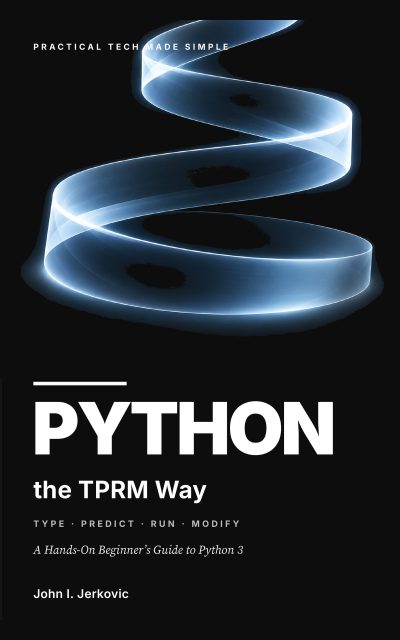
Front cover of Python the TPRM Way

The book

Python the TPRM Way

Type. Predict. Run. Modify. — A Hands-On Beginner’s Guide to Python 3

You will often hear that Python is an easy language. In my view, that description does you a disservice. Python is readable, but programming still asks you to think in a new way. You break a problem into steps, predict what your code will do, notice small details, and learn from your mistakes.

I wrote this book with the true beginner in mind. Previous programming experience is not required. Memorizing dozens of commands before you begin is not required either. What you do need is a Python 3 installation, a text editor or coding environment, and a willingness to type, test, and change small programs.

I use standard Python wherever I can, so you can work in IDLE, VS Code, PyCharm, Eclipse/PyDev, Thonny, or another Python environment. Menus and buttons change. Core Python concepts do not. That is why I teach the language rather than one particular editor.

  • Printed in the book as tprmway.com/python. That address will keep working.
  • 166 pages, paperback, 6 by 9 inches.

Start here

Three things have to be in place before the first program runs. These notes are the current version of the Before You Start section in the book.

Read the setup notes — Python the TPRM Way

Chapter companions

One page per chapter: what the chapter teaches, every program in it ready to type, and the prediction that goes with each one. The explanations stay in the book.

  1. Chapter 1 Your First Python ProgramsProgramming starts with one plain idea. You give the computer precise instructions, and then you watch exactly what it does with them.
  2. Chapter 2 Variables, Types, Input, and OutputVariables give a program a memory for values. Types tell Python what those values mean, and which operations on them make sense.
  3. Chapter 3 Numbers, Operators, and ExpressionsProgramming turns useful once values can be combined, compared, and transformed.
  4. Chapter 4 Decisions and Boolean LogicA useful program often has to choose what to do next. Conditionals are what let it take one path instead of another.
  5. Chapter 5 Loops and RepetitionRepetition is where a few lines of code start doing a great deal of work.
  6. Chapter 6 Functions: Build Programs in PiecesFunctions break a growing script into small, reusable units, each with clear inputs and outputs.
  7. Chapter 7 Strings and Text ProcessingA string is a sequence of characters. Once you see it that way, indexing, slicing, searching, and transforming text all get much easier.
  8. Chapter 8 Lists: Working with Many ValuesOne variable can hold a whole ordered collection of values, and that collection can change.
  9. Chapter 9 Tuples and SetsA list is not the only collection Python offers. Tuples suit fixed sequences, and sets suit the moments when uniqueness and membership are what matter.
  10. Chapter 10 Dictionaries: Key-Value DataA dictionary lets you look information up by a meaningful key rather than by a numeric position.
  11. Chapter 11 Files and Exception HandlingA program becomes far more useful once it can keep information after it stops, and recover from the problems you can see coming.
  12. Chapter 12 Building Better ProgramsKnowing the syntax is not enough. Good programmers also organize, test, debug, and simplify.
  13. Chapter 13 Classes and ObjectsA class is how you define your own kind of object, one that keeps related data and behavior in the same place.
  14. Chapter 14 Four Complete Beginner ProjectsThe goal from here is integration. Each project leans on several concepts at once, and every requirement is built from ideas you already know.

Free downloads

  • Python Syntax Cheat Sheet

    Core syntax and operators on a compact printable reference: output, variables and types, conversion, input, f-strings, arithmetic, comparisons, decisions, loops, functions, files, exceptions, and classes.

    Cheat sheet · PDF · 2 pages · 55 KB · Version 2026-09-07

  • Lists, Strings, and Dictionaries Cheat Sheet

    High-frequency operations on the three collections you use most, with slicing, split and join, tuples and sets, how to choose a collection, and a closing table of the mistakes each one invites.

    Cheat sheet · PDF · 2 pages · 52 KB · Version 2026-09-07

  • Common Python Errors

    Thirty-six beginner error messages in the order you meet them, each with what it means, what to check first, and the smallest program that produces it.

    Common errors · PDF · 4 pages · 61 KB · Version 2026-09-07

  • Python Debugging Checklist

    One printable page to work through before you change a line: what to check before you run, how to read an error, what to do when the answer is wrong but nothing is reported, and what to verify before calling a program finished.

    Checklist · PDF · 1 page · 33 KB · Version 2026-09-07

  • 50 Extra Practice Questions

    Three or four questions per chapter across all fourteen chapters, mixing prediction, tracing, modification, debugging, and building from a blank file, with answers complete enough to check yourself against.

    Practice questions · PDF · 24 pages · 126 KB · Version 2026-09-07

  • Practice Test Pack

    Thirty mixed questions covering the whole book in four parts: predict the output, find and fix the defect, short answer, and write the code. Answers are included.

    Practice test · PDF · 13 pages · 94 KB · Version 2026-09-07

  • Project Starter Files

    Clean .py files for the four Chapter 14 projects, with the function names the chapter uses, TODO comments in every body, a README carrying the requirements and acceptance tests, and sample data for the file stretch goals. They run as they stand; they are not solutions.

    Starter files · ZIP · 10 files · 9 KB · Version 2026-09-07
Open the downloads page

More for this book

  • Quick reference The syntax you will look up most often, on one page.
  • Corrections What is wrong in the printed book, and what it should say.